Last updated: May 2026
Your customers have moved on from the web you built for them five years ago. Evolving customer expectations now demand a modern web presence that's fast on mobile, accessible by default, intuitive to navigate, and recognizably on-brand the moment someone lands on the homepage. When a site lags behind, bounce rates climb, conversion drops, and even the best marketing campaigns underdeliver. This post unpacks how audience behaviour has shifted, what they expect from your site today, and what to fix when your web presence stops keeping pace with them.
What modern customers expect from your web presence:
Nineties nostalgia might be having a moment in fashion and music, but no one wants it on the internet. Picture this: you arrive at a site that takes seven seconds to load, the menu doesn't work on your thumb, the copy reads like it was written for desktop in 2014, and the photography looks nothing like the Instagram post that sent you. You bounce. Everyone bounces. And the brand that paid to send you there loses the impression, the click, and the chance.
Today's audiences are more tech literate than ever and they have a clear barometer for what good looks like. They use Airbnb, Apple, Shopify storefronts, and dozens of best-in-class mobile apps every day. Their patience for a slow, clunky, or visually outdated site is near zero, because the comparison set is everything that loads on their phone.
The behavioural shift shows up clearly in platform mix. Mobile devices account for 53.65% of global web traffic versus 46.35% on desktop (StatCounter, April 2026). For many B2C categories the mobile share is significantly higher. If your site is still designed and tested desktop-first, with mobile as an afterthought, you're optimising for the smaller half of your audience.

The other behavioural shift worth naming: accessibility is now baseline expectation, not bonus. Modern audiences include people using screen readers, voice control, keyboard-only navigation, magnification, and reduced-motion settings. The same group also includes anyone reading your site one-handed on a crowded train, anyone with a temporary injury, anyone over fifty squinting at low-contrast text. Designing for the edge cases pulls the centre of the curve forward too.
Five expectations show up consistently when we audit clients' web presence at Major Tom. Outdated design and slow mobile load times are usually the first two barriers we find. Accessibility, content freshness, and brand alignment round out the list. Here's how each one shows up.
Slow pages are the fastest way to lose a visitor. Modern consumers expect your site to load and respond in a couple of seconds, regardless of device or network. Google's Core Web Vitals are the formal measure of that expectation: Interaction to Next Paint (INP) replaced First Input Delay as a Core Web Vitals metric on March 12, 2024 (Google Search Central). The "good" threshold is INP under 200 ms. Largest Contentful Paint, Cumulative Layout Shift, and INP together describe how the page feels, not just how it scores. Customers won't articulate Core Web Vitals, but they feel them every time the site stutters under their thumb.
Accessibility is no longer a niche concern; it's a baseline customer expectation backed by hard data. WebAIM's 2026 analysis of the top 1 million home pages found that 95.9% had detectable WCAG 2 failures, averaging 56.1 accessibility errors per page, with low-contrast text (83.9%), missing alt text (53.1%), and missing form labels (51%) leading the list. That's nineteen out of twenty home pages with detectable problems. The bar isn't high. Most sites are simply not clearing it.
Our team's piece on essential dos and don'ts for accessible web development covers the contrast, semantic HTML, and form-labelling fundamentals that close most of the gap.
Functionality and beauty are necessary but not sufficient. Modern users expect the site to be obvious. Navigation should answer the question "where am I and where can I go?" within a glance. Copy should be scannable, with subheads and short paragraphs. Every page should have one primary action and a clear secondary one, not eight competing CTAs fighting for the cursor.
The web analytics behind this are easy to read once you know what you're looking for. High exit rates on internal pages, repeated search-box queries for things in the navigation, micro-bounces from the homepage — every one of those signals a UX gap that's costing you visitors.
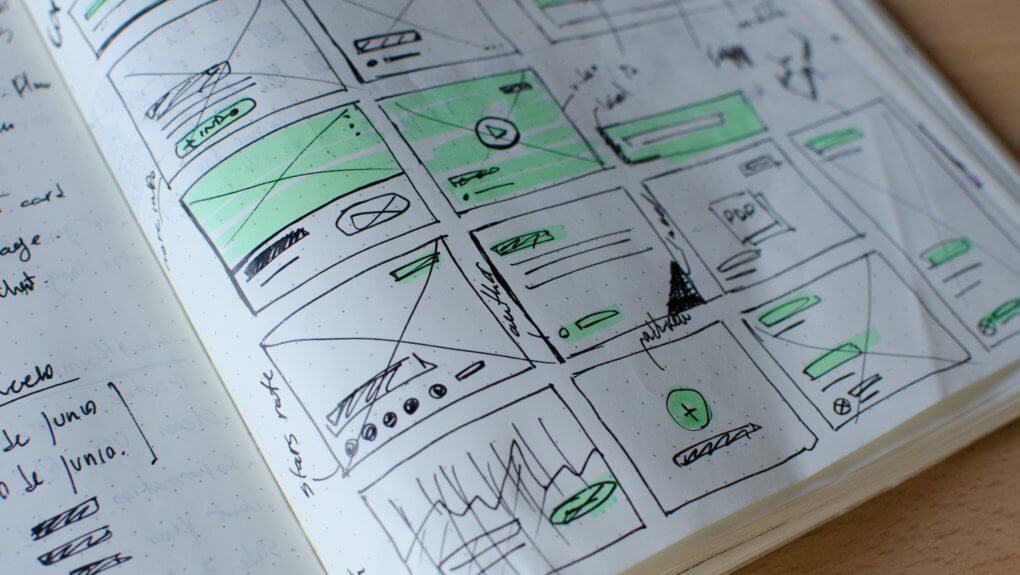
There are more websites in the world than anyone will ever count, and yours has to stand out without losing the consistency that builds trust. Great design isn't decoration; it carries tone, signals quality, and creates an emotional shorthand for the brand. When the homepage looks like a different company from the ad that sent the visitor, the trust gap closes the tab before the value prop loads.
We saw this with Orkin. The team rebuilt the site around the brand's editorial voice, tightened the conversion paths, and aligned the on-site experience with the ads customers were seeing on their feeds. Lead generation increased by 50%. The product didn't change. The marketing budget didn't double. The web presence and ads just finally matched each other.
A lot of our case studies are reminders that "your customers are evolving" is rarely abstract — it's measurable in the gap between what the brand promises in the feed and what the site delivers when they tap through.
Stale content tells visitors the brand isn't paying attention. A homepage that still references a 2023 campaign, a blog that hasn't posted in eighteen months, product pages with broken links to discontinued items — each one chips at credibility. Modern audiences notice quickly and infer the rest.
The fix isn't volume; it's cadence and relevance. A monthly insights post that actually answers a question your audience is searching for is worth more than a weekly post that pads the archive. Make sure the content you do publish maps to current customer questions and current platform behaviour, not the assumptions you made when the site launched.
When a website stops evolving, the costs compound quietly. Paid acquisition gets more expensive because conversion drops. Organic traffic erodes because Core Web Vitals slip and competitors publish more current content. Bounce rate climbs because mobile UX falls further behind whatever app your visitor used five minutes earlier. None of this shows up as a single dramatic failure. It shows up as a slow draining of efficiency across every channel that touches the site.
The brands we work with that move fastest tend to share a habit: they treat the website as a living asset rather than a one-time build. Ongoing website maintenance and optimization is the engine that keeps a modern web presence aligned with where customers actually are. Six months without an audit and the gap reopens.
If you're reading this and recognizing a few of the symptoms above, the next question is whether the site is still marketable at all. Our companion piece on what makes a website marketable walks through the seven signs we audit for before we'll recommend turning on a new campaign. There's significant overlap with this post by design: the brands customers expect to see are the ones whose sites are built to receive and convert the traffic those customers bring.
If you're focused specifically on lead capture, our deeper guide on how to take your lead generation website from underperforming to ever-improving covers the conversion-side cleanup that follows from the UX and content work above.
A useful sequencing question when the site has drifted: what changes first, and what compounds from there? Our default order:
That sequence won't fix everything, but it will surface the top-priority work before you commit to a redesign budget. Sometimes the answer is targeted fixes on the existing site. Sometimes it's a full rebuild. The audit is what tells you which.
Your customers have evolved. Your web presence has to evolve with them — and that work is most efficient when you're scoping it from a clear-eyed audit rather than a hunch. Our web design and development team runs evolution audits across performance, accessibility, UX, and brand alignment as the first step in any engagement, and we'll tell you honestly whether a refresh, a redesign, or a focused fix is the right next move. Find clarity in the chaos, and bring your web presence back in line with the customers you've worked so hard to earn.
Modern customers expect a site that loads quickly on mobile, meets accessibility standards, has obvious navigation and conversion paths, and looks recognizably like the brand they met in an ad or social post. They compare your site against the best apps and ecommerce experiences they use daily, so the bar is higher than it was even two years ago. Failing any one of those expectations meaningfully raises bounce rate and lowers conversion.
Maintenance is continuous; redesigns are situational. Plan for monthly updates to plugins, security patches, content freshness, and Core Web Vitals monitoring. A focused refresh of design, conversion paths, or core templates usually makes sense every 18 to 24 months. A full redesign typically lands every three to five years, or sooner if a rebrand or business model change makes the existing site misaligned with your audience.
The clearest signals are slow mobile load times, a homepage that doesn't match your current brand, low conversion on paid traffic despite strong ad performance, rising bounce rate over time, broken or low-contrast accessibility, and content that hasn't been refreshed in over a year. A single signal can be coincidence. Three or more together almost always means the site is no longer keeping pace with your customers' expectations.
Mobile devices account for 53.65% of global web traffic versus 46.35% on desktop (StatCounter, April 2026), and for many consumer categories the mobile share is much higher. Most of your customers are reaching you from a phone, often while doing something else. A site that wasn't designed mobile-first is delivering a degraded experience to more than half of its visitors by default, regardless of how good the desktop version looks.
Yes. Accessibility issues affect a much wider audience than just users of assistive technology. Low contrast hurts anyone reading outdoors or with mild visual fatigue. Missing form labels confuse anyone moving quickly. Poor keyboard navigation breaks for power users. WebAIM's 2026 analysis found that 95.9% of the top one million home pages had detectable WCAG 2 failures. Fixing those failures lifts usability metrics for everyone, not only the visitors who depend on them most.
An outdated site reads as inattention. Visitors infer that if you haven't refreshed the website in years, the rest of the business may be similarly behind. The signals are cumulative: dated photography, broken layouts on mobile, slow page loads, stale blog posts, mismatched brand voice between the site and current marketing. Each one is small. Stacked together, they erode the credibility your campaigns spent budget to build, and the cost shows up as lower conversion.
Start with mobile performance and accessibility, because both are measurable, both have hard standards, and both touch every other metric on the site. Improving Core Web Vitals lifts SEO, paid conversion, and bounce rate at the same time. Fixing accessibility errors reduces legal exposure and improves usability for all visitors. Both are usually faster to fix than a full redesign and create the foundation any future work compounds on top of.
Be both a dreamer and a doer.
%20(1)%20(1)%20(1)%20(1)%20(1)%20(1)%20(1)%20(1)%20(1)%20(1)%20(1)%20(1)%20(1)%20(1)%20(1)%20(1)%20(1)%20(1).png)